

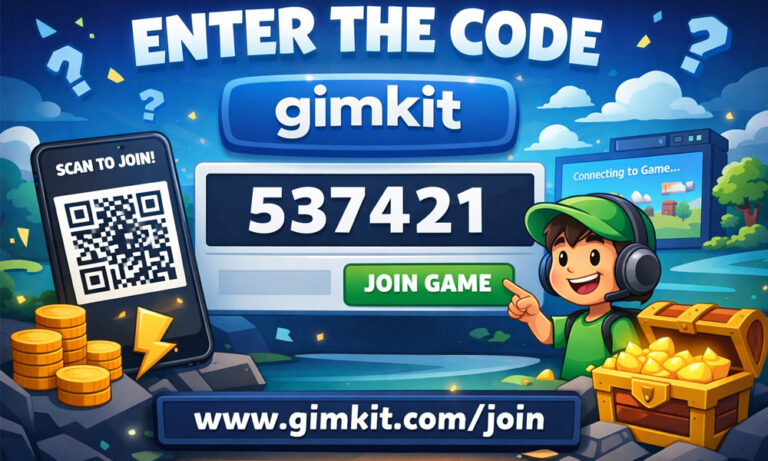
Gimkit is one of the coolest learning games out there. It turns boring quizzes into fun, fast-paced games where you earn points, power-ups, and even win! Kids love it, and teachers use it more and more every day.
But there’s one thing that can confuse new players — the Gimkit code. If you’ve ever seen classmates asking, “What’s the Gimkit code?” and felt left out, don’t worry. You’re not alone.
In this article, we’ll walk you through everything you need to know. We’ll explain what a Gimkit code is, how it works, where to get it, and how to stay safe while using one. Whether you’re a student or a teacher, this guide will help you jump into the world of Gimkit games with full confidence.
What Is a Gimkit Code?
A Gimkit code is a special code made of letters and numbers. It’s like a digital key that lets you join a game. When someone creates a live game on Gimkit, they get a new code. They share that code with others so they can join and play together.
Let’s say your teacher starts a game for review. They’ll show a code on the screen like “A1B2C3.” You go to gimkit.com/join, type in the code, and boom — you’re in the game lobby, ready to play.
These codes don’t last forever. Once the game ends, the code stops working. That means every live Gimkit game gets a fresh code each time. This keeps things private and secure, which is great for classrooms.
Different Types of Gimkit Codes
Not all Gimkit codes are the same. In fact, there are three main types, and each one works a little differently.
The most common are Live Game Codes. These are the short ones that students use to join games in real time. They only last while the game is running. Once the game ends, the code disappears.
Then there are Creative Codes. These are longer and used for user-created games or challenges. People can share these codes online, and they stay active for longer. It’s a fun way to play games made by others or to test yourself.
Finally, there are Assignment Codes. These are great for homework or solo practice. Your teacher gives you a code that works anytime, without needing to wait for a host. You can play it at home, after school, or whenever you have time.
Knowing the difference helps a lot. That way, you always know what kind of game you’re joining — live, creative, or on your own.
How Gimkit Codes Work (Step-by-Step)
Using a Gimkit code is very easy once you know the steps. Let’s go through it together.
First, someone has to create the game. Usually, that’s a teacher or a game host. When they start a game, Gimkit gives them a special code. That’s the code you’ll need.
Next, go to the official website: gimkit.com/join. You’ll see a simple box where you can type in the code. Double-check the letters and numbers — it’s easy to mix them up!
Once you enter the code, you’ll be asked to type your name or nickname. Some schools use Instant Join, so you might be logged in automatically. After that, you’ll land in the game lobby. That’s where you wait for the game to begin.
It’s really that simple: get the code, go to the website, enter the code, add your name, and wait. You’re now part of the game!
Get Gimkit Codes from Your Teacher
The easiest and safest way to get a Gimkit code is to ask your teacher. In most classrooms, teachers use Gimkit to review lessons, test knowledge, or just have some fun.
Teachers usually show the game code on the screen at the front of the room. If you don’t see it, don’t be shy — just ask. Say something like, “What’s the Gimkit code?” or “Can we play Gimkit today?” Most teachers will be happy to help.
Sometimes, teachers also send the code through your school platform like Google Classroom, ClassDojo, or email. Make sure to check your messages before asking. It might already be there!
And if you’re doing homework or a solo game, your teacher might give you an assignment code that works anytime. You can use it from home or even during a study break.
Where to Find Gimkit Codes Online
Let’s say you’re not in school right now. Can you still find a Gimkit game to join? Yes — and the internet is full of them! You just need to know where to look.
Many people share live Gimkit codes on places like Reddit, Discord, and TikTok. Some users host public games for fun or to help others learn. For example, on Reddit’s r/gimkit, students and gamers post active codes you can join in real-time.
There’s also an official Gimkit Discord server with thousands of members. Look for the #joinmygame channel. That’s where users drop fresh codes. Just be sure to follow the rules — no spamming, and only share real, working codes.
Even TikTok creators and YouTubers often run live Gimkit events. You can watch their streams and get the join code right from their video. Try searching hashtags like #GimkitCode or #GimkitLive to see who’s hosting today.
How to Use Gimkit Codes Safely
As fun as Gimkit is, not every code you find online is safe. Some websites or links might offer “Gimkit cheat codes” or “generators,” but these are often scams.
Never trust websites that ask for personal info in exchange for a Gimkit code. Gimkit codes are always free. You should never have to download anything or enter your password to join a game.
Also, avoid browser extensions or “Gimkit hacks.” These can harm your device or steal your data. If it sounds too good to be true — like unlimited cash or power-ups — it probably is.
Stick to official places: your teacher, the real Gimkit website, or trusted friends and school groups. And if you ever see a code or link that feels weird, just skip it. Your safety is more important than any game.
How to Make Your Own Gimkit Code (For Teachers and Hosts)
If you’re a teacher, student leader, or just someone who wants to run a Gimkit game, creating your own code is very simple. All you need is a free Gimkit account and an idea for your quiz.
Start by logging in to gimkit.com. Click the “Create” button to build a new game. You can type your own questions or choose a kit made by someone else. Once your game is ready, hit “Play Live.” Gimkit will give you a fresh join code.
You can now share that code with your friends, students, or group. They can enter it at gimkit.com/join and jump into the game. It’s a fast, easy way to make learning fun and interactive. This is how most Gimkit codes are made — and anyone can do it!
Top Places to Get Active Gimkit Codes (2026 Guide)
In 2026, more people than ever are sharing live Gimkit codes. You can find active codes in many places online, especially if you know where to look.
Reddit groups like r/gimkit often have fresh codes posted every hour. Discord servers also have special channels, like #joinmygame, where players drop live codes for others to join. These places are friendly and made for fun learning.
You can also check TikTok, YouTube, and X (Twitter). Many content creators stream Gimkit games live and share the code in the video or comments. Try searching for hashtags like #GimkitCode, #GimkitLive, or #PlayGimkitNow to find current sessions.
Just remember: these codes expire quickly. If a code doesn’t work, don’t worry — another one will pop up soon.
Smart Tips to Use Gimkit Codes Like a Pro
Want to make the most of your Gimkit experience? These simple tips will help you use codes better and have more fun while learning.
First, join or make small study groups. You and your friends can take turns hosting games and sharing codes. This keeps everyone active and learning in a fun way.
Second, try different game modes. Classic, Team, or newer ones like Diamond Rush all offer something fresh. Each time you host or join, you’ll get a new Gimkit code that brings something different to the game.
Finally, set goals. For example, “I’ll try to beat my last score” or “I’ll get more answers right today.” You can track your learning over time and stay motivated — all through a simple join code.
Watch Out! Fake Codes and Common Scams
As Gimkit becomes more popular, scams are popping up too. That’s why it’s important to stay careful when using Gimkit codes online.
Never use websites that promise “free hacks,” “unlimited Gimkit money,” or “code generators.” These are not real. They may steal your info, infect your device, or just waste your time.
Also, avoid giving out personal info when using a code. You never need to share your email, password, or private details to join a game. Just use the code on the official site and that’s it.
If something feels off — like a strange-looking link or a page asking for money — close it. It’s always better to be safe. Stick to trusted sources, like your teacher, real friends, or official Gimkit communities.
Conclusion
Now you know how Gimkit codes work and how to use them safely. Whether you’re playing in class, joining a public game online, or even hosting your own quiz, using a Gimkit code is the key to getting started.
Remember, there are many ways to find active codes — through your teacher, Discord, Reddit, or social media. Just make sure the code is real and shared by someone you trust.
Gimkit is more than a game — it’s a fun way to learn, connect, and compete. So don’t be shy. The next time someone says, “Here’s the Gimkit code,” you’ll be ready to jump in and play like a pro.
(FAQs)
What is a Gimkit code?
A Gimkit code is a short mix of letters and numbers that lets you join a Gimkit game. When a teacher or host starts a game, they get a fresh code. You enter this code at gimkit.com/join to play the game.
How do I join a game using a Gimkit code?
Just go to the official Gimkit site, type in the code, enter your name or nickname, and click “Join.” If the code is correct and the game is live, you’ll enter the lobby and wait for the game to start.
Where can I find active Gimkit codes?
You can get Gimkit codes from your teacher, friends, or trusted online groups. Places like Reddit (r/gimkit), Discord, TikTok, and YouTube often have people sharing live codes. But remember — only join codes from real, safe sources.
Do Gimkit codes expire?
Yes, most Gimkit codes expire after the game ends. Live game codes only work during that session. Once the host ends the game, the code no longer works. For long-term games, teachers might use assignment or creative codes.
Can I make my own Gimkit code?
Yes! If you have a Gimkit account, you can create your own quiz or use one from the library. When you click “Play Live,” Gimkit gives you a new code to share with others. It’s a fun way to host your own game.
Is it safe to use Gimkit codes from the internet?
It depends where you get them. Only use codes from trusted sites or people. Stay away from fake websites or ones that ask for your personal info. Never download anything claiming to be a “Gimkit cheat” — it could be harmful.
Are there different types of Gimkit codes?
Yes, there are three types:
-
Live Game Codes: For real-time play, short and temporary.
-
Creative Codes: For user-made games that last longer.
-
Assignment Codes: For homework or solo play, no host needed.
What should I do if a Gimkit code doesn’t work?
First, check if the code is typed correctly. Make sure the game hasn’t ended. If it still doesn’t work, ask the host for a new one or look for another game to join. Codes often expire quickly, especially for public games.
Can I use a Gimkit code without logging in?
Yes! Most of the time, you can join with just a nickname. Some schools use special login accounts, but for public games, you usually don’t need to sign in. Just enter the code and a name to play.
Why are Gimkit codes so popular in 2026?
In 2026, Gimkit has become a favorite in classrooms and study groups. The codes make it fast and easy to join fun, interactive learning games. With more online sharing and virtual events, live Gimkit codes are now more common than ever.
You may also read: Stop Typing, Start Searching: A Fun Guide to Image Search Techniques
